Classic Cinema
A Fujifilm Recipe for Cinematic Video
Classic Cinema is my go-to video recipe when I want that timeless, documentary-style look straight out of camera. Built on Classic Negative with carefully tuned settings, this recipe delivers cinematic footage that feels like it was shot on analog film. The best part is that no color grading is required. And when a project really demands color grading, here are the best film emulation plugins to try in DaVinci Resolve. If you want a pre-organized Resolve workspace for these projects, check out Creator Pro.
This recipe is specifically designed for video work. It works beautifully for travel footage, street scenes, interviews, and any situation where you want a subtle, filmic aesthetic without the modern digital sharpness. The low contrast curve preserves detail in both shadows and highlights, while the color settings give skin tones a natural, pleasing warmth.
When to Use This Recipe
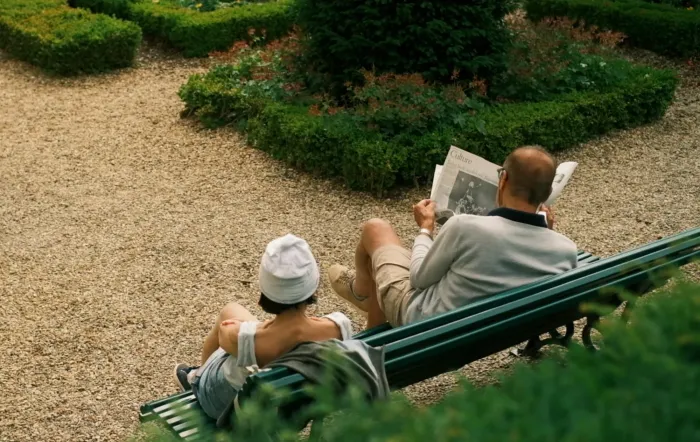
Classic Cinema is specifically designed for video work and excels in documentary-style shooting scenarios. The low-detail setting reduces digital sharpness for a more organic film look.
Best suited for:
- Documentary and travel videography
- Street scenes and urban exploration
- Interviews and talking heads
- B-roll footage with natural lighting
- Casual family and lifestyle videos
- Projects requiring a consistent, filmic look without grading
Not ideal for:
- Commercial work requiring maximum sharpness and color grading flexibility
- Low light situations beyond ISO 640
- Green screen / chroma key work
- Situations where you need heavy color grading flexibility
Technical Notes
Why Classic Negative for video?
Classic Negative provides a subtle color response with gentle contrast that translates beautifully to motion footage. Unlike stills where you might want more punch, video benefits from a flatter profile that preserves information while maintaining a pleasing aesthetic.
Frame rate and resolution
I typically shoot at 29.97P (30P) for a natural motion feel. FHD is perfect for most projects and keeps file sizes manageable. Use 4K when you need extra resolution for cropping or delivering in higher resolutions, just be aware of the larger storage requirements.
The -2 Details setting
This is key to the film look. Modern digital sensors are incredibly sharp, which can feel harsh in video. Reducing detail softens the image slightly, mimicking the more organic rendering of analog film stock.
ISO limitations
Keeping ISO between 200 and 640 ensures clean footage. Classic Negative handles shadows differently than other simulations, and higher ISOs can introduce color shifts that are harder to correct in post.
Video example with Classic Cinema recipe
FAQ
Which Fujifilm cameras support this video recipe?
This recipe works on Fujifilm cameras with Classic Negative film simulation and video capabilities, including X-T5, X-T4, X-S20, X-S10, X-E5, X-E4, X-H2, X-H2S, X100VI, X100V, and newer GFX models.
Do I need to color grade footage shot with this recipe?
No, and that's the beauty of it. Classic Cinema is designed to give you finished, cinematic footage straight out of camera. The settings are tuned specifically for a pleasing look without post-processing.
Can I use this for professional client work?
Yes, it's possible, depending on the work and the flexibility required. However, it's mostly practical for sharing on social media, documenting travels, or capturing family moments.
What about audio settings?
For audio, I recommend using an external microphone whenever possible. Set your audio levels manually and leave some headroom. The built-in microphones work in a pinch, but external audio will elevate your footage significantly.
Should I use a lens filter?
A 1/4 Black Pro Mist filter pairs beautifully with this recipe, further softening digital harshness and adding a subtle glow to highlights. It's completely optional but can enhance the film aesthetic.
Can I adapt this for photos too?
Yes! While this recipe is optimized for video, the same settings work great for stills if you want that softer, more film-like look in your photographs.